
































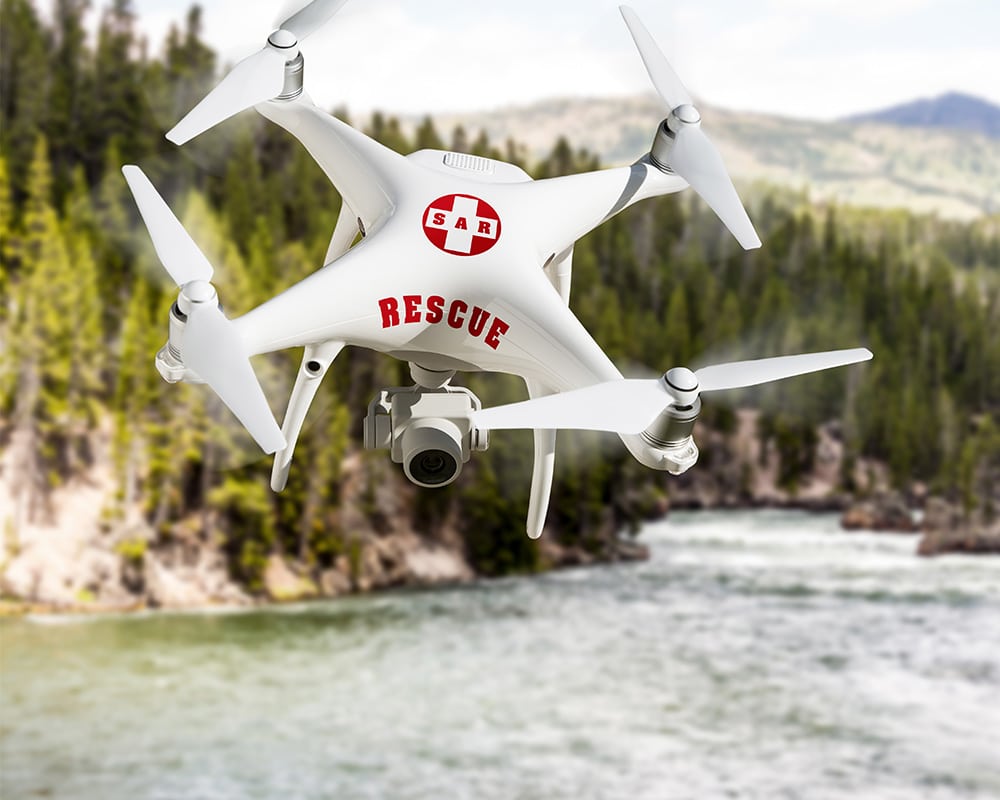








CAN I FLY MY DRONE HERE?
TraX -
THE DRONE APP FOR SAFE FLIGHTS IN GERMANY
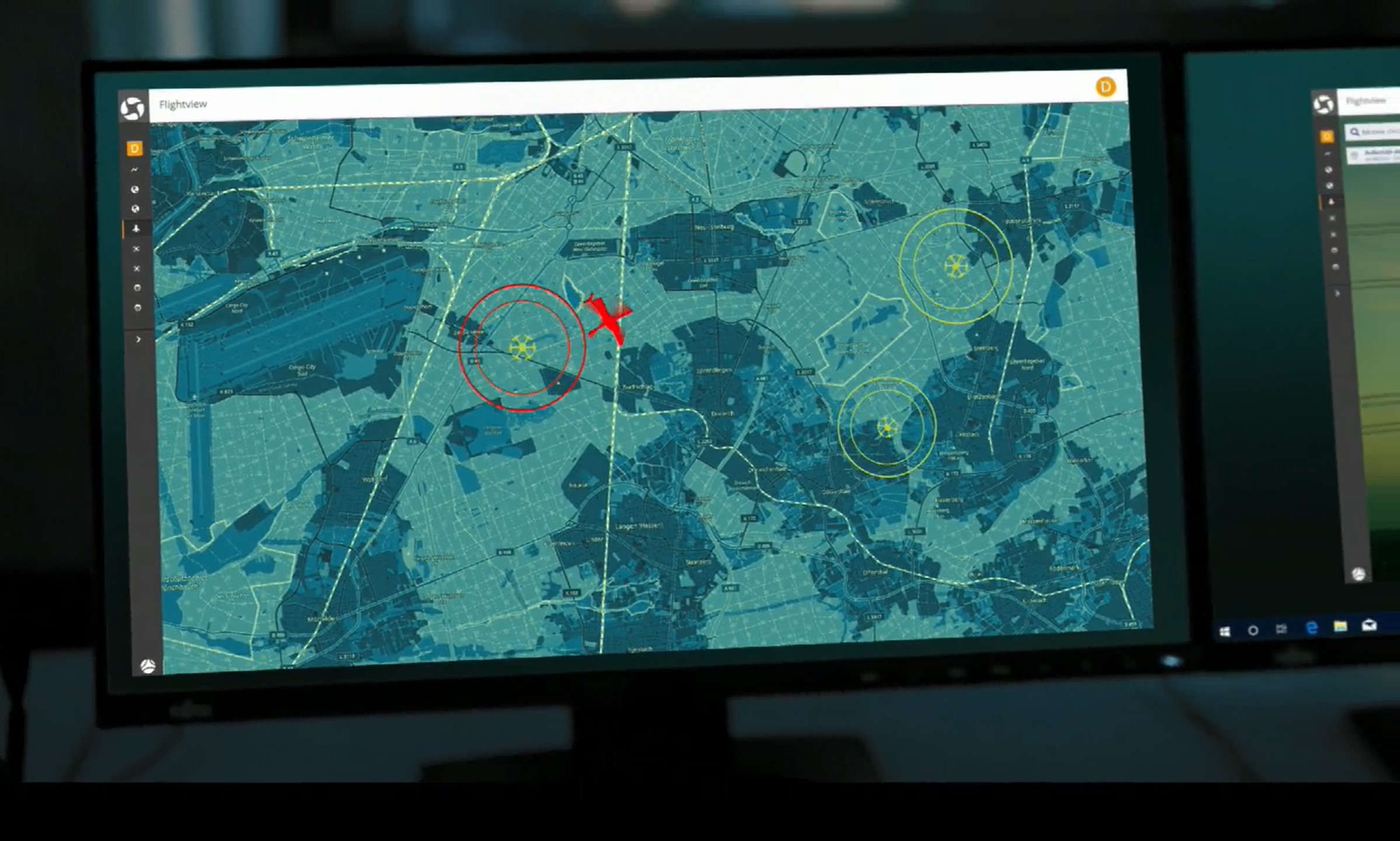
TraX shows you geofences, restrictions, weather, and air traffic information—so you can plan your flight better and fly your drone safely.
Download the iOS or Android app for free now
With TraX, you can prepare for drone flights faster and more safely. The app shows you at a glance which regulations apply at your location, what guidelines you need to follow, and what air traffic information is relevant to your flight. This allows you to make informed decisions before takeoff—whether you’re a recreational pilot, a commercial operator, or an emergency response organization.
EVERYTHING YOU NEED TO KNOW ABOUT YOUR
DRONE FLIGHT IN ONE APP

Check flight area
View geozones, restrictions, and notes directly at the planned location.

See and be seen in air traffic
Keep an eye on the weather, atmospheric conditions, and warnings during the flight.
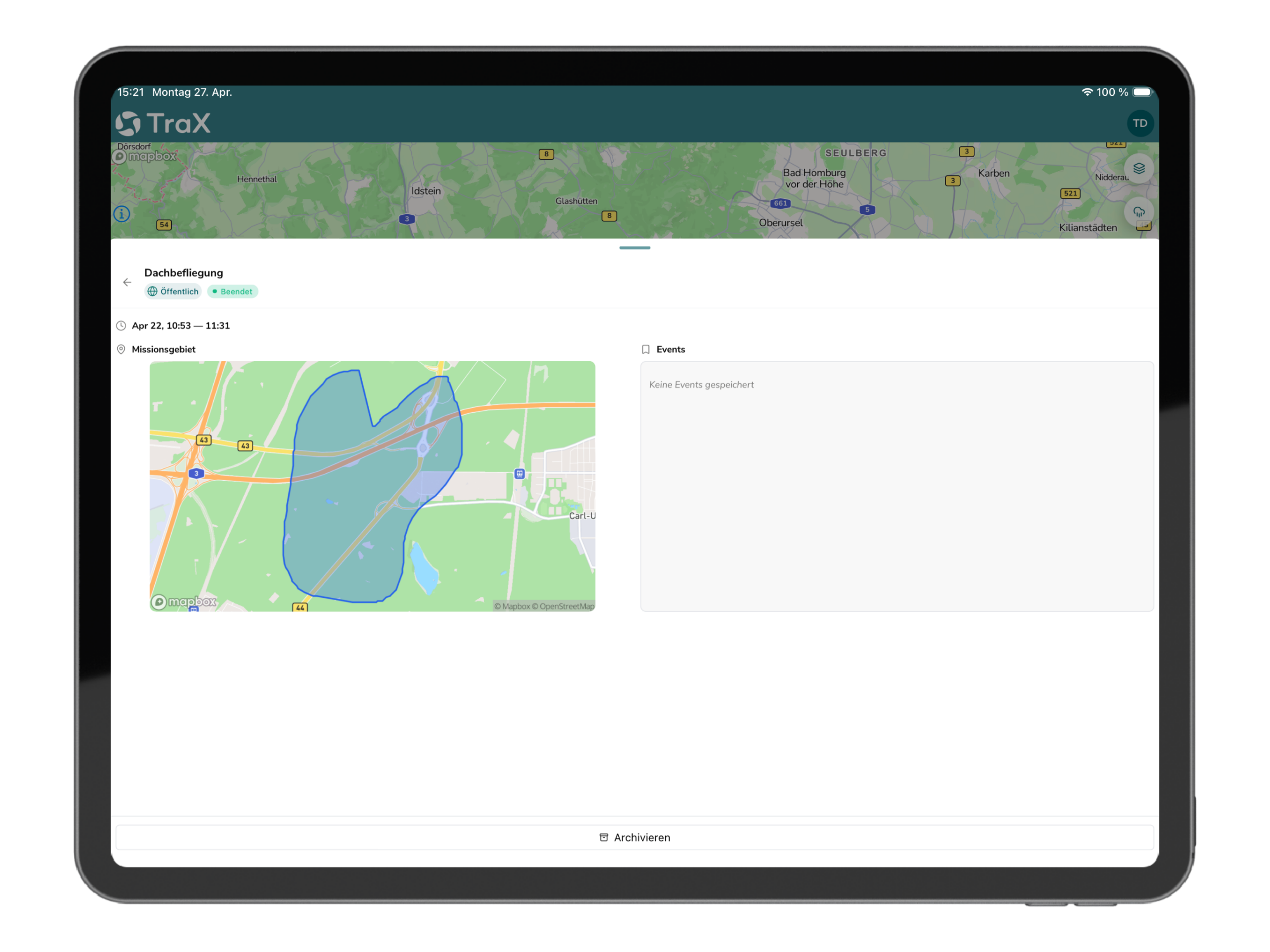
Document assignments
Organize and save flight data, and make it traceable for professional use.
HOW TRAX
SUPPORTS YOUR DRONE FLIGHTS


Before the flight
Check geozones
Find out which geographic areas, restrictions, and notices apply to your planned flight location.
Check the weather at
. Check key weather data in the app right before you take off to avoid unnecessary risks.
Prepare your flight area
Import KML files and use overlays to plan professional missions with greater precision.

During the flight
Show flight area
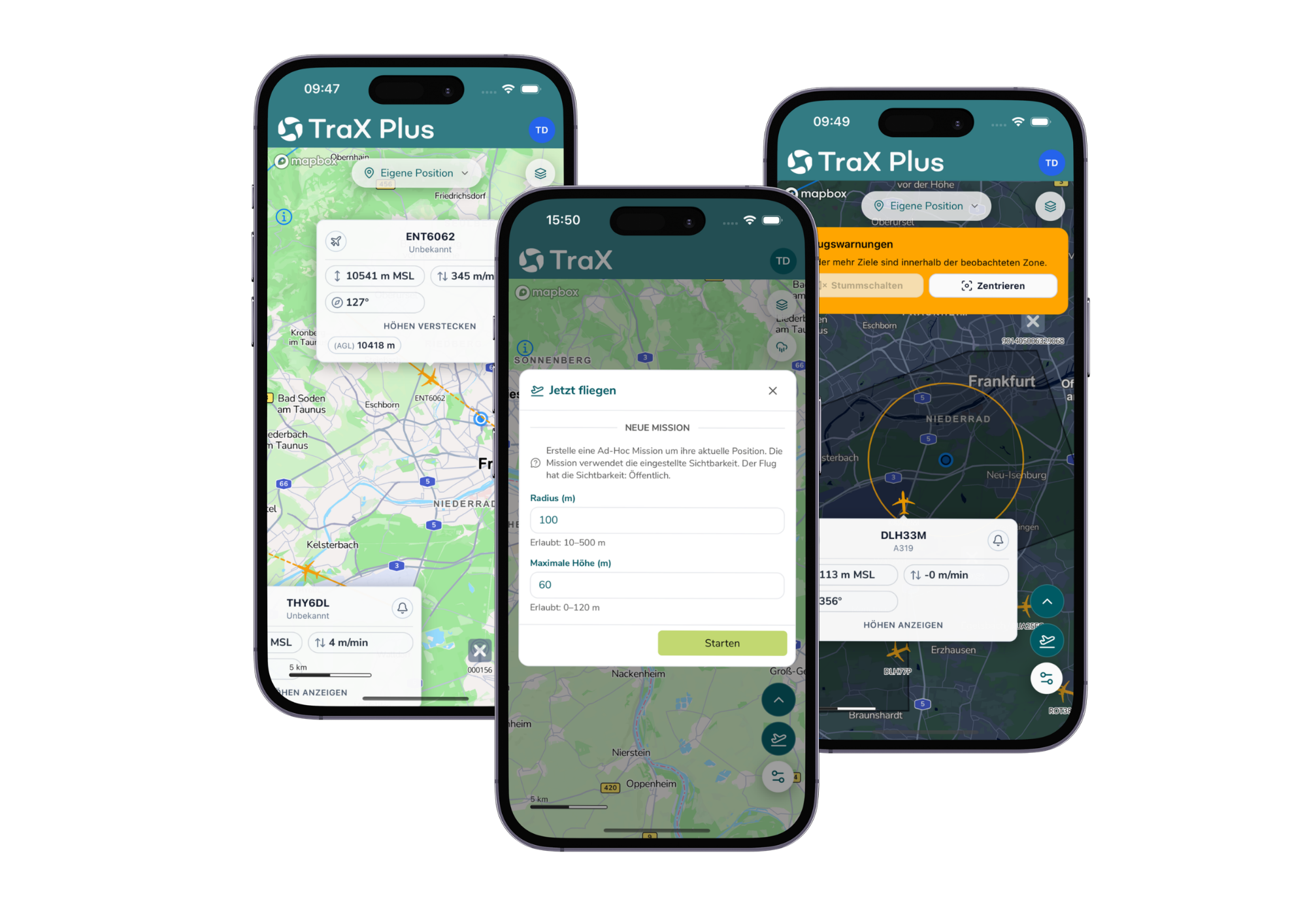
Use "Fly Now" to display the active flight area.
View air traffic
Depending on your subscription plan, view real-time air traffic around your area of operation.
Receive alerts at
. Respond more quickly to relevant developments in airspace.
After the flight
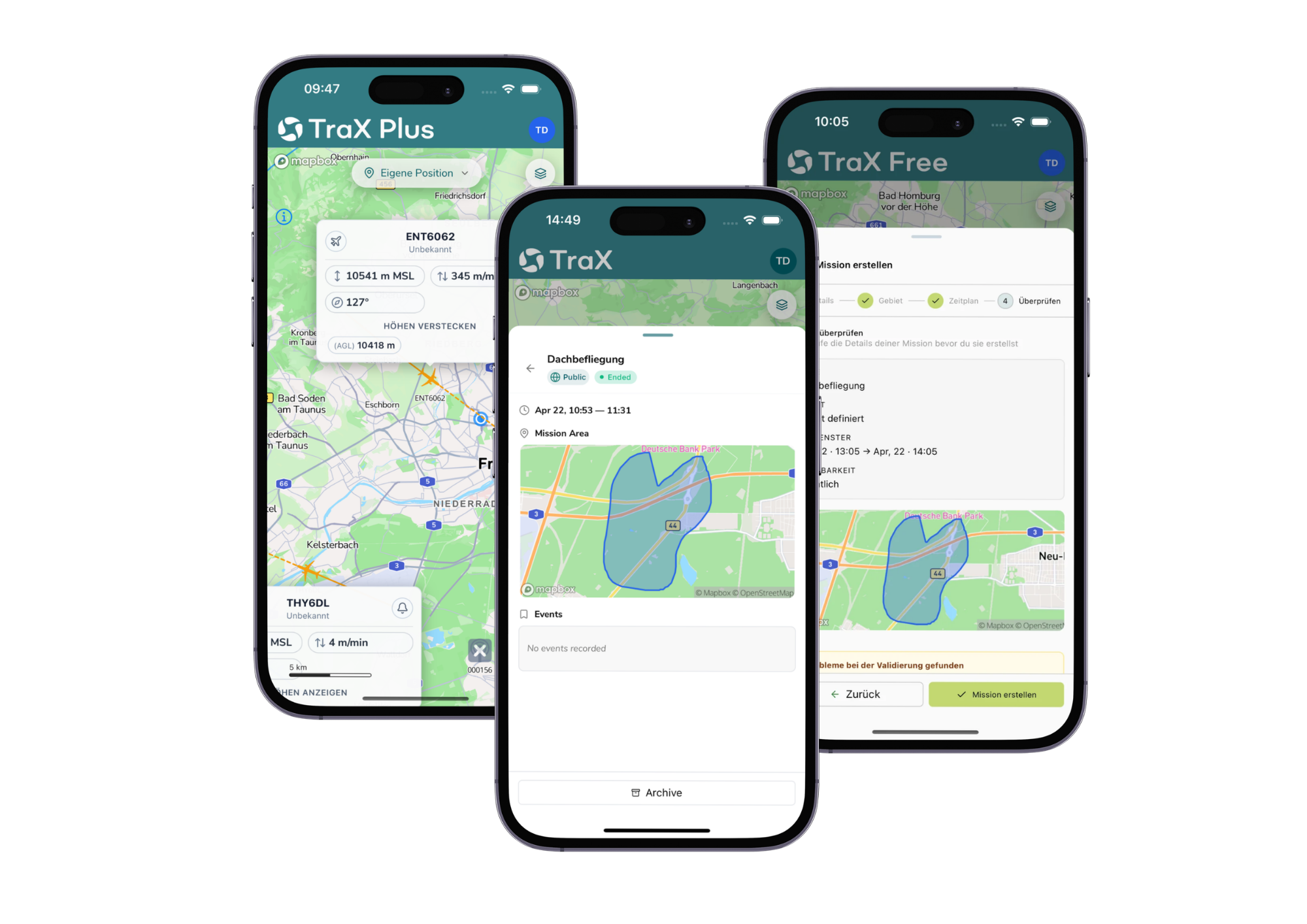
Track flights
Use the Flight Log and Mission Center to keep a detailed record of your missions.
Manage Assignments
Organize flight information in a structured way for later analysis, documentation, or recurring assignments.
WHO IS TRAX FOR?
The perfect app for personal and professional drone flights
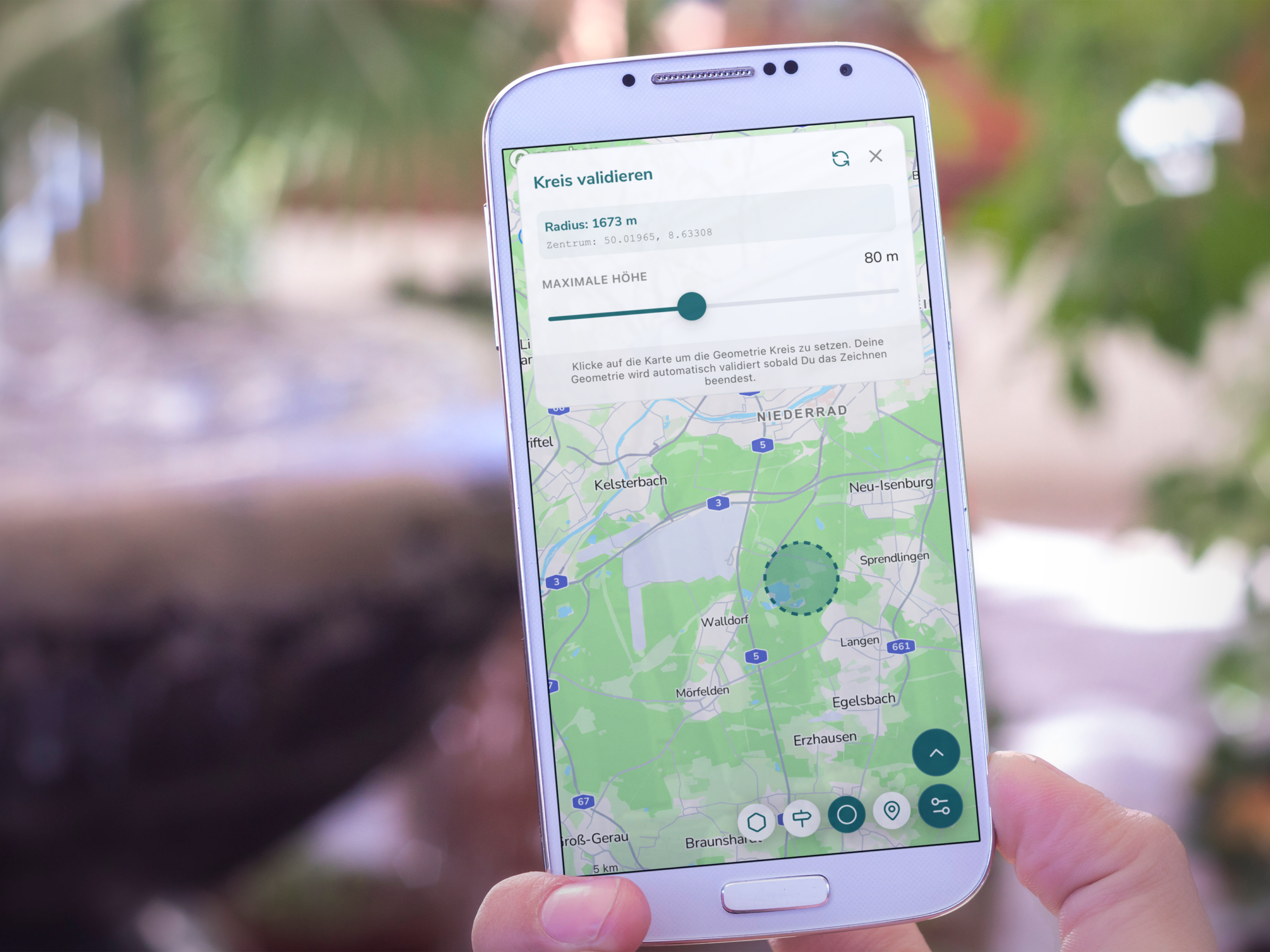
Recreational pilots
Quickly check if a flight is available at your location.
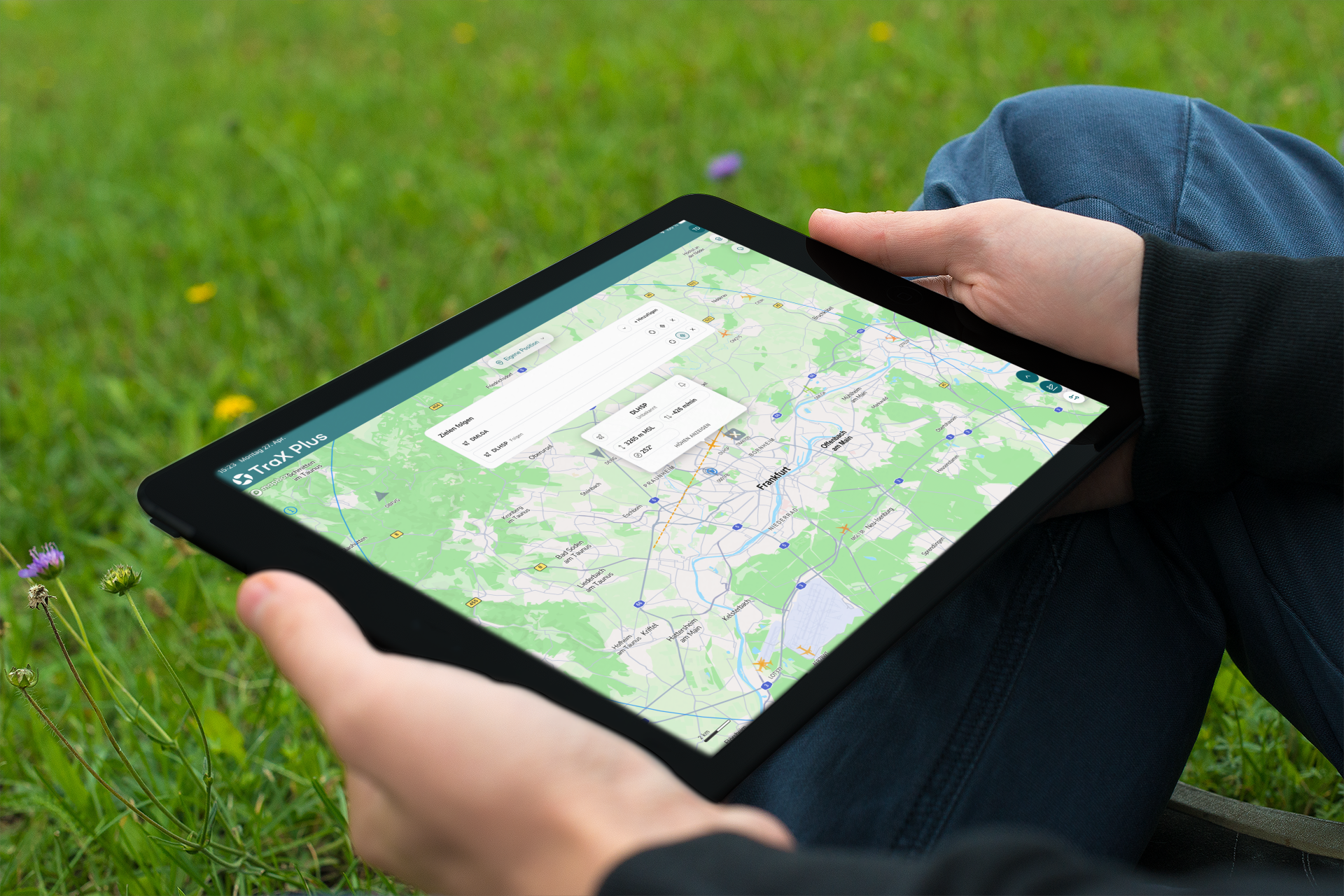
Commercial pilots
Prepare flights, monitor the air situation, and identify relevant risks earlier.
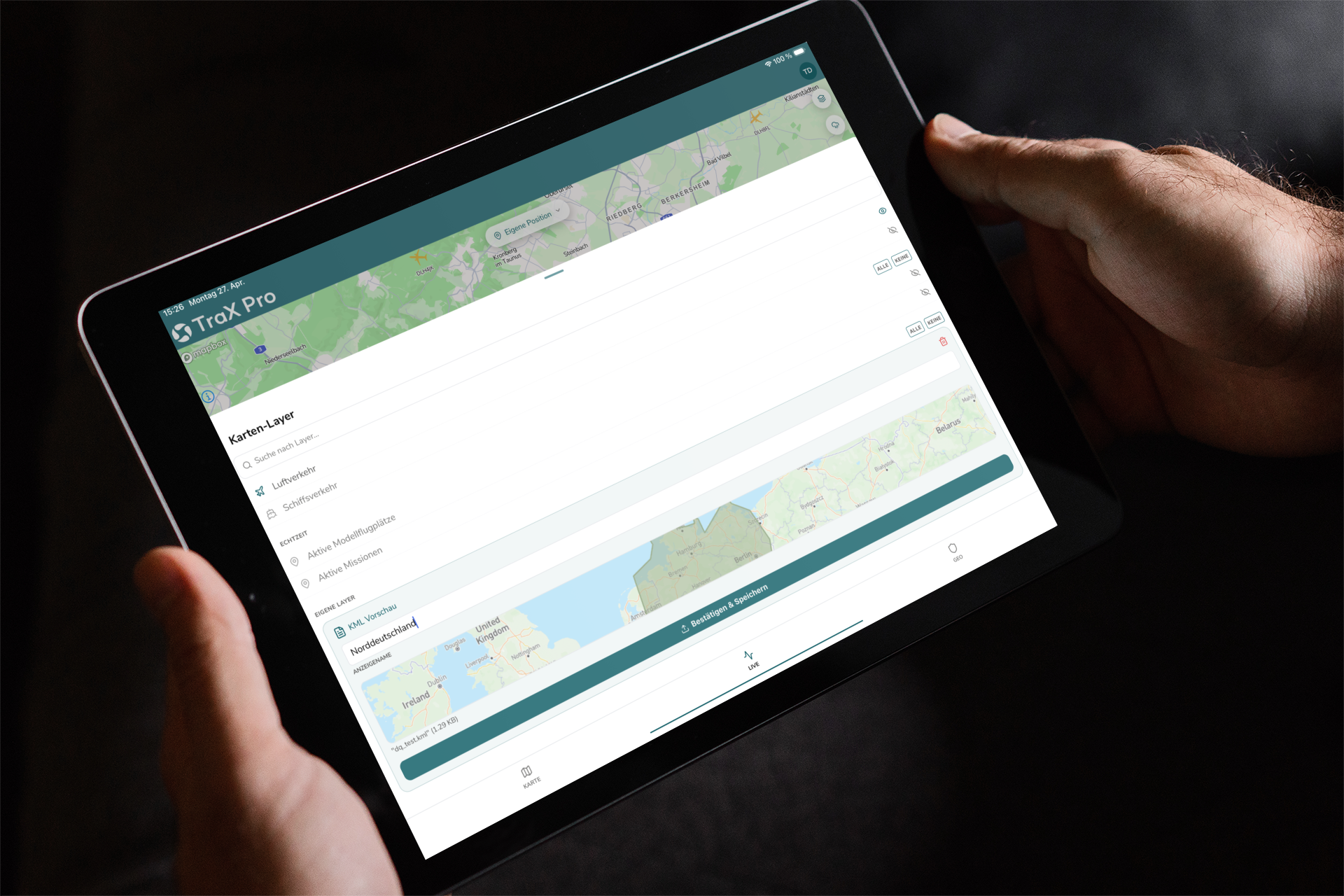
Operators & Organizations
Plan and document operations, and work with KML imports, overlays, and flight logs.
CHECK IN SECONDS AT
TO SEE IF
YOUR FLIGHT
IS AVAILABLE
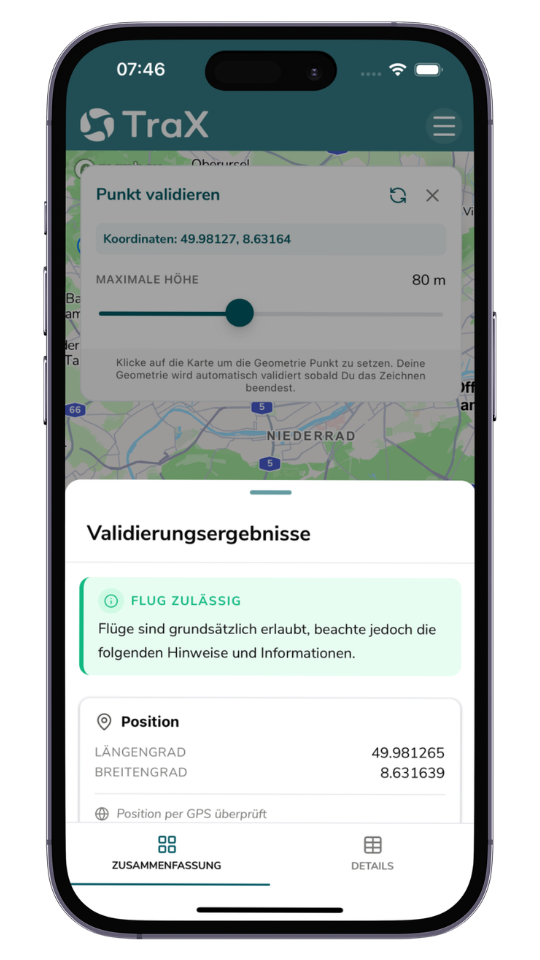
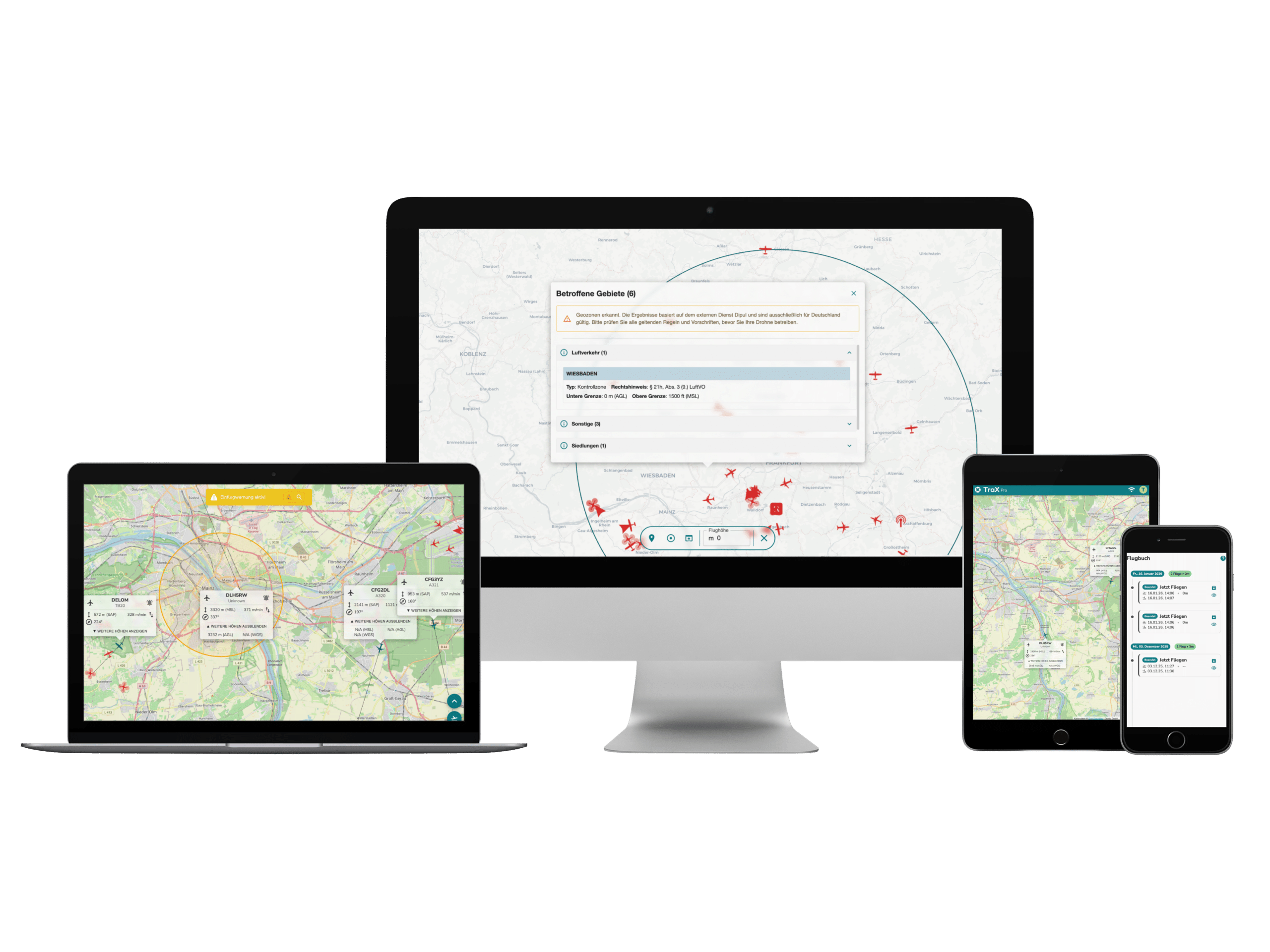
With TraX, you can immediately see which geofences, flight restrictions, and notices apply to your location. This allows you to determine before takeoff whether a drone flight is possible and which rules you must follow.
Make the "
" flight area visible
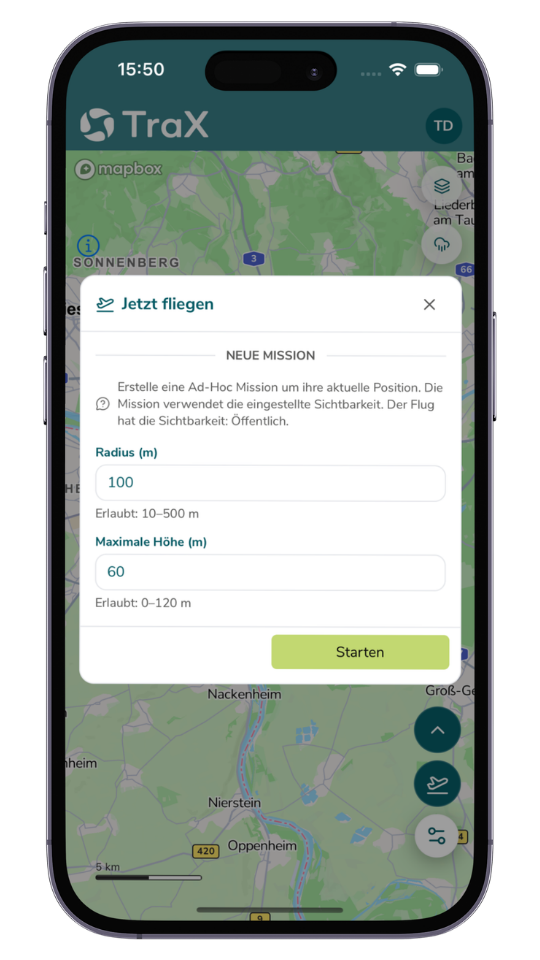
With "Fly Now," you make your active flight zone visible to other airspace users. This creates greater transparency in the airspace and promotes safe drone flights.
Air Travel
SEE NEARBY
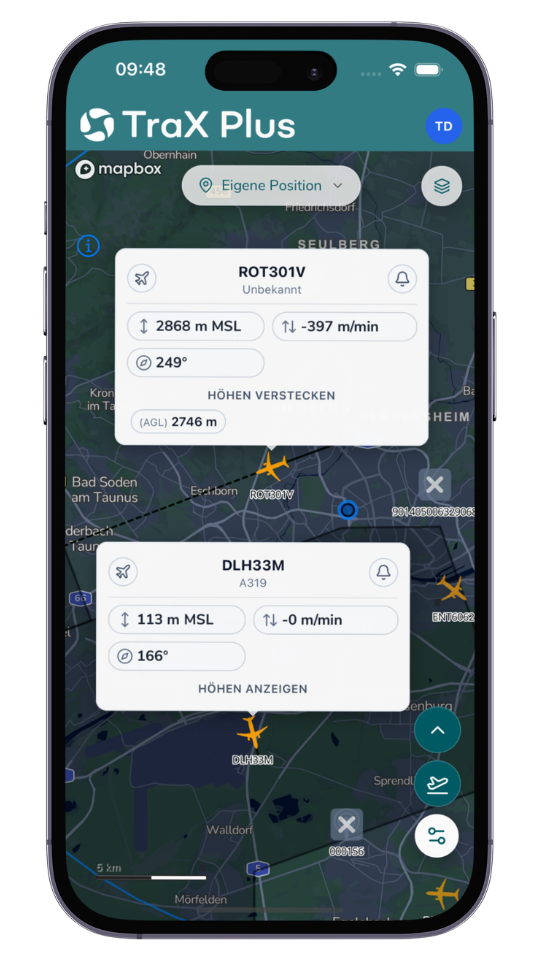
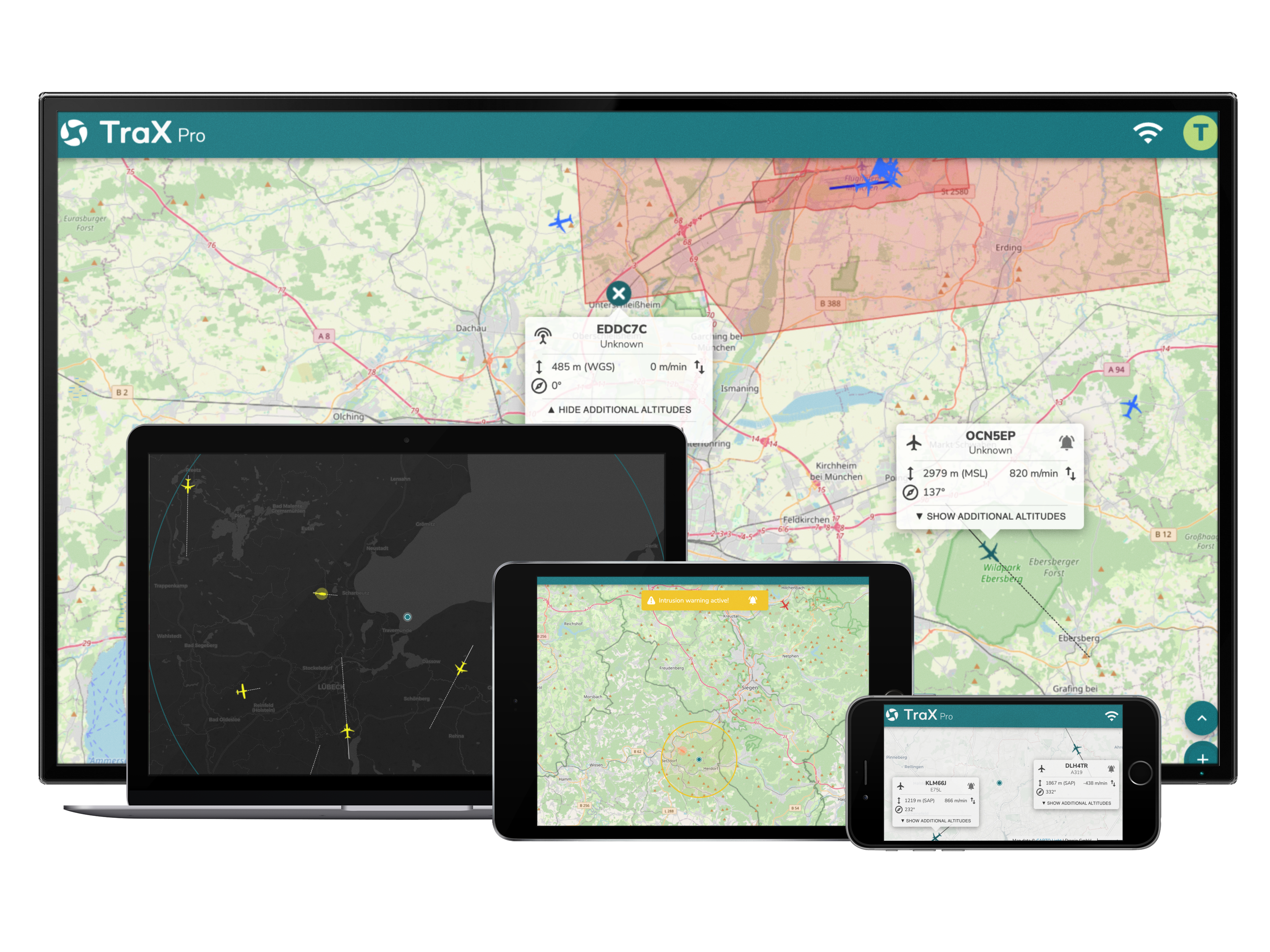
Depending on your subscription plan, TraX displays real-time air traffic data for your operational area. This allows you to better understand airspace activity and make more informed decisions.
Get early warnings at
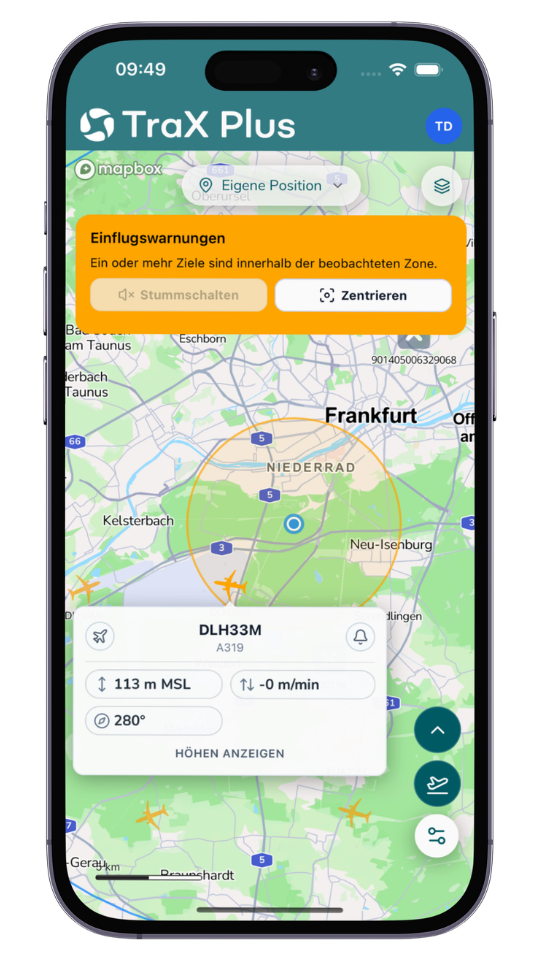
TraX keeps you informed about relevant developments in airspace, such as unexpected aircraft entering your monitored area. This allows you to identify risks more quickly and respond in a timely manner.
Weather information at
to help you make better flight decisions at
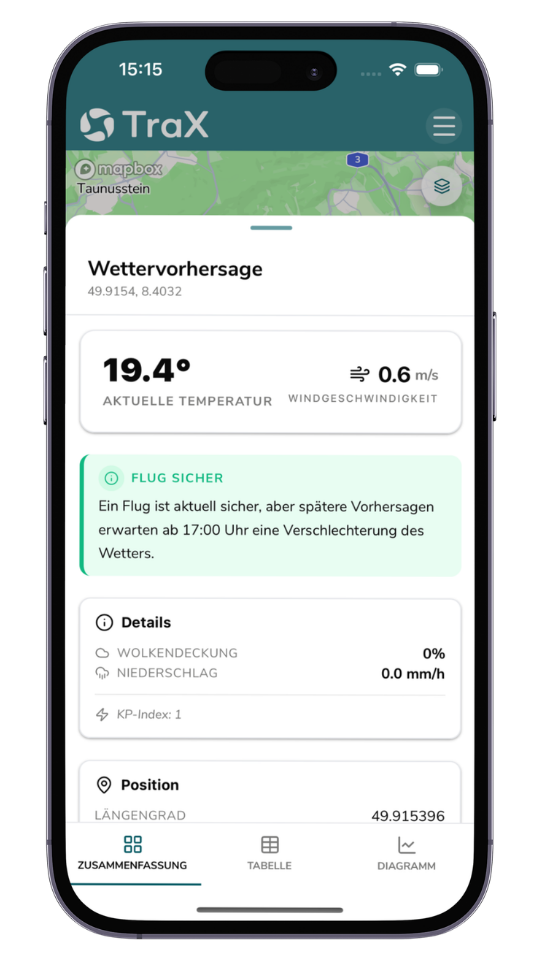
Use weather data directly in the drone app to better prepare for your flights and assess risks early on.
WHICH TRAX VERSION—
—IS RIGHT FOR YOUR
DRONE APPLICATION?
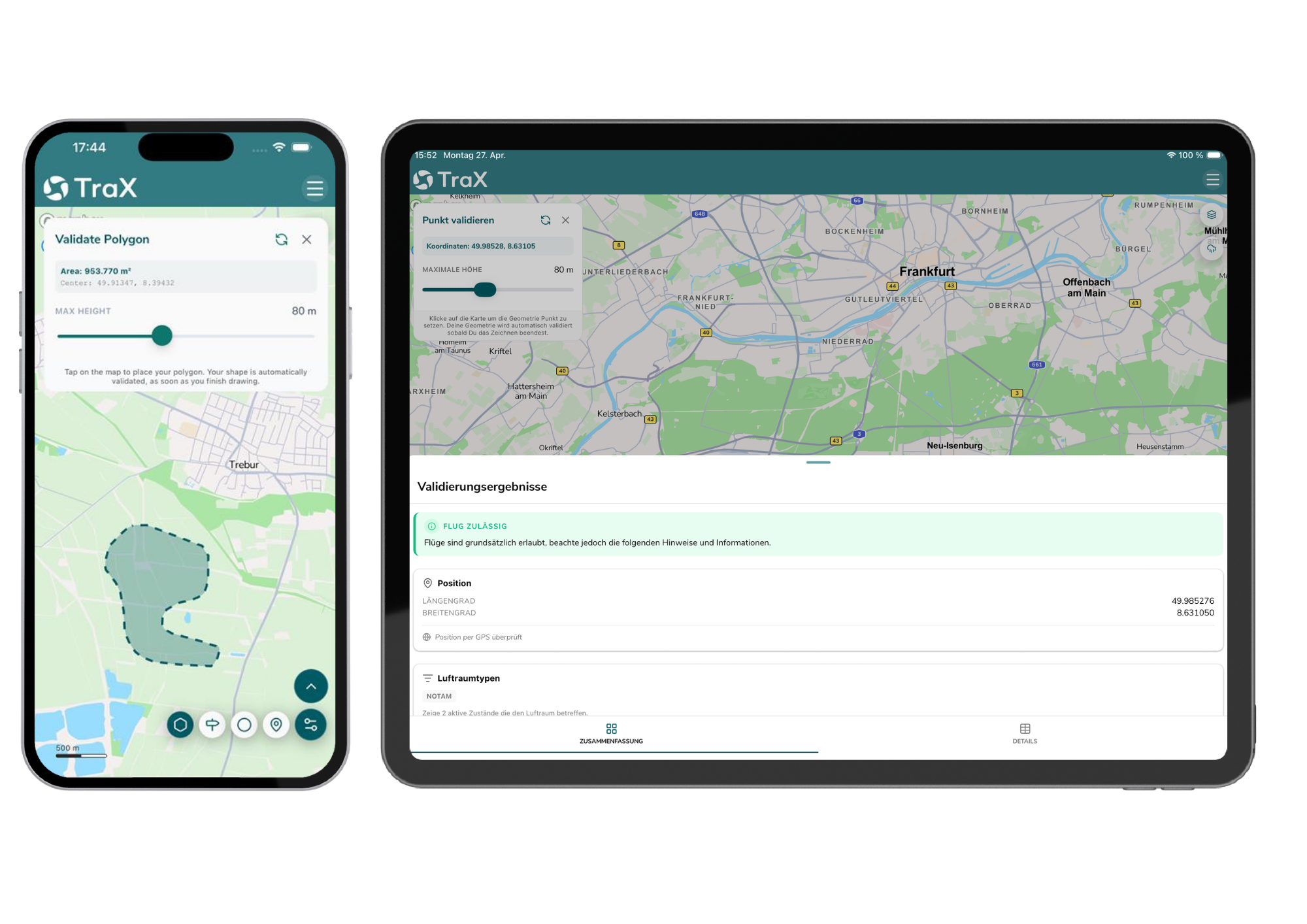
IDEAL FOR RECREATIONAL PILOTS
TraX Free
The free version of TraX provides you with essential basic features to help you better prepare for drone flights and quickly access relevant information about airspace.
- Instant drone flight validation: Check right in the app to see if a drone flight is permitted at your desired location. TraX clearly displays relevant regulations, restrictions, and guidelines.
- Make your flight zone visible with "Fly Now": Enableyour flight zone in the app so that other airspace users can see it. This increases the transparency of your drone operations in the airspace.
- Weather Information: Useweather data directly within the app to better assess current conditions and make informed decisions before takeoff.
- Flight Log:Clearly documentand manage your drone flights in the Mission Center. This makes it easier to track your missions and supports structured flight management. A customer account is required to use this feature.
IDEAL For ambitious and commercial pilots
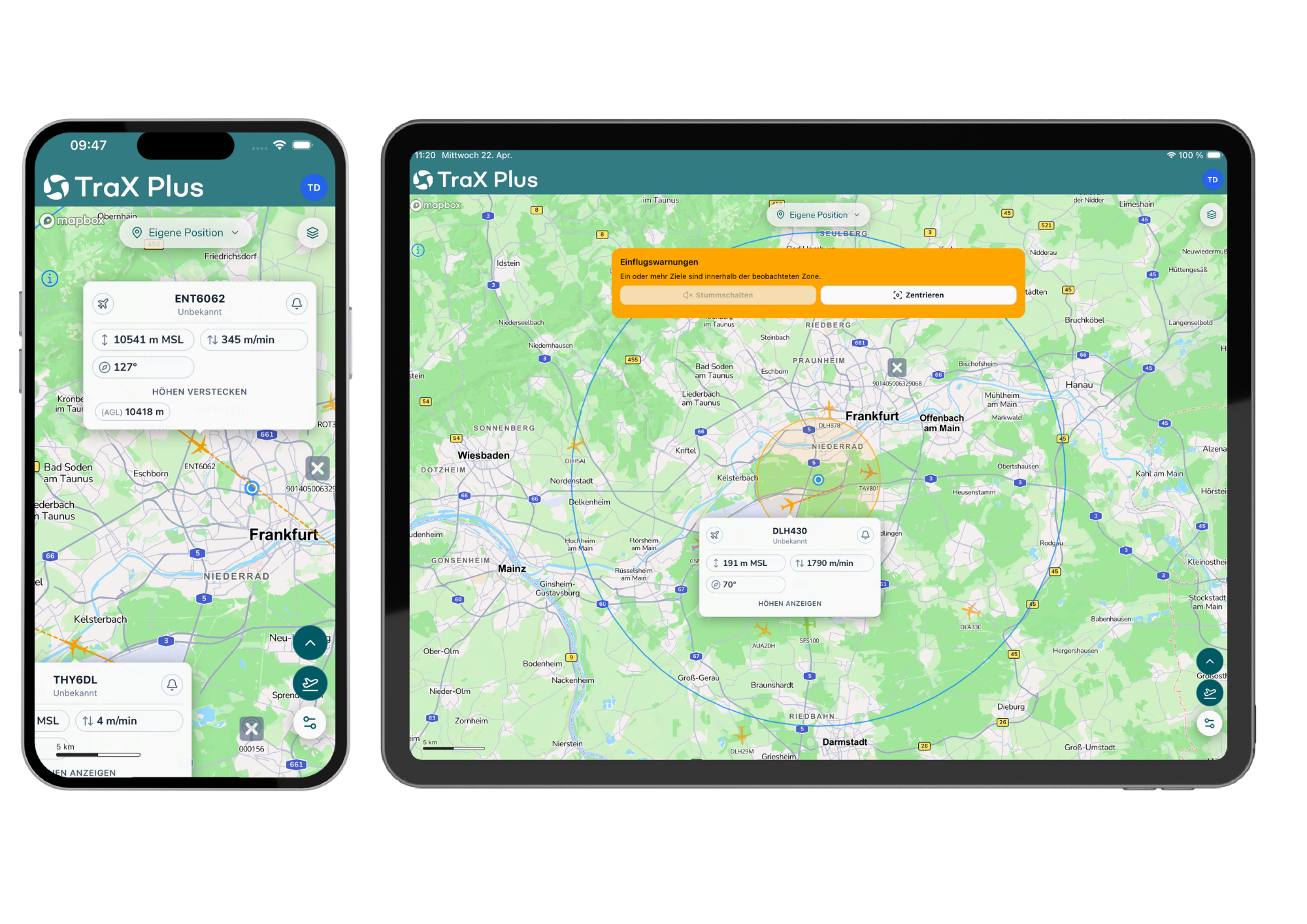
TraX Plus
For anyone who wants to monitor their drone flights more closely. TraX Plus enhances the basic version with live air traffic updates, alerts, and real-time information—starting at €3.49 mthly. customer account is required.
- Live Air Traffic Overview: Keeptrack of air traffic within a 20-km radius of your operational area in real time.
- Get early warnings: Receivealerts about relevant developments in airspace, such as unexpected aircraft entering your monitored area. This allows you to respond more quickly and identify potential risks early on.
- Object Tracking: Keepa closer eye on relevant objects or movements. This feature supports professional use cases where a precise overview of the operational area is essential.
FOR PROFESSIONAL OPERATORS & COMPANIES
TraX Pro
TraX Pro offers advanced features for planning, monitoring, and documentation—starting at €39.98 mthly. customer account is required.
- Expanded coverage radius: TraXPro will now display air traffic within a radius of up to 60 km, compared to 20 km for TraX Plus. The new coverage radii will be activated in mid-May upon release.
- Approach warnings for your drone: WithTraX Pro, you can also receive approach warnings for any aircraft of your choice—such as your own drone.
- KML Import: ImportKML files into TraX to incorporate your own mission areas, routes, or planning data into your flight preparation. This simplifies more complex missions and supports professional workflows.
- Maps and real-time overlays: Useadditional overlays to better contextualize geofences, flight zones, and real-time information directly on the map.

FOR INDIVIDUAL NEEDS
TraX Enterprise
For businesses, government agencies, and organizations with unique requirements, TraX Enterprise offers a flexible solution for professional and complex drone operations. This version is particularly well-suited for first responders, larger organizations, and operators with specific processes or advanced requirements for planning, deployment, and scalability.
TraX Enterprise is available via the web app and is provided on a custom basis upon request.

A closer look at TraX's features
With TraX, you can choose the subscription plan that best fits your daily flight operations—from free basic access to advanced features for professional drone operations. This ensures you get exactly the support you need for planning, validation, visibility, and safety in the airspace.
-
 TraX
TraXThe free version of TraX provides you with essential basic features to help you better prepare for drone flights and quickly access relevant information about airspace.
Validation of drone flights in seconds
Check right in the app to see if drone flights are permitted at your desired location. TraX clearly displays relevant regulations, restrictions, and guidelines.
Make the flight section visible with "Fly Now"
Enable your flight area in the app so that other airspace users can see it. This creates greater transparency and helps ensure a safe shared airspace.
Weather information
Use weather data directly in the app to better assess current conditions and make informed decisions before you set off.
Flight log
Keep clear records of your drone flights and manage them in the Mission Center. This makes it easier to track your missions and supports structured flight management. A customer account is required to use this feature.
-
TraX Plus
For anyone who wants to monitor their drone flights more closely. TraX Plus enhances the basic version with live air traffic updates, alerts, and real-time information—starting at €3.49 mthly. customer account is required.
Real-time air situation
Keep track of air traffic within a 20-km radius of your operational area in real time. The live air situation helps you better understand current movements and make more informed flight decisions.
Be warned in advance
Receive alerts about relevant developments in airspace, such as unexpected aircraft entering your monitored area. This allows you to respond more quickly and identify potential risks early on.
Target tracking
Keep a closer eye on relevant objects or movements. This feature supports professional use cases where a precise overview of the operational area is essential.
-
TraX Pro
For professional drone operations, organizations, and operators. TraX Pro offers advanced features for planning, monitoring, and documentation—starting at €39.98 mthly. customer account is required.
Expanded service area
In the future, TraX Pro will display air traffic within a radius of up to 60 km, compared to 20 km in TraX Plus. The new radii will be activated in mid-May upon release.
Collision warnings for your drone
With TraX Pro, you can also receive collision warnings for any aircraft of your choice—such as your own drone.
KML Import
Import KML files into TraX to incorporate your own mission areas, routes, or planning data into your flight preparation. This simplifies more complex missions and supports professional workflows.
Maps and real-time overlays
Use additional overlays to better understand geozones, flight zones, and real-time information directly on the map.

FIND THE RIGHT TRAX PLAN
Whether for recreational flying, regular use, or professional operations, TraX offers the right version to meet your needs—from free use to a customized enterprise solution.
Monthly plan
Annual plan
TraX
TraX Plus
TraX Pro
TraX Enterprise
TraX

Free of charge
Free of charge
Popular
TraX Plus

5.99 € incl. VAT / month
3.49 € incl. VAT / month
TraX Pro

59.99 € incl. VAT / month
39.98 € incl. VAT / month
TraX Enterprise

Upon request
Upon request
NEW starting May 11, 2026
Airspace Check, Weather Info & Flight Log
TraX:
TraX Plus:
TraX Pro:
TraX Enterprise:
Mission Planning & Mission Center
TraX:
TraX Plus:
TraX Pro:
TraX Enterprise:
Real-time air traffic conditions around the airfield
TraX:
TraX Plus:
20 km
TraX Pro:
60 km
TraX Enterprise:
Individual
Collision warnings in the mission area
TraX:
TraX Plus:
TraX Pro:
TraX Enterprise:
Target tracking for greater situational awareness
TraX:
TraX Plus:
TraX Pro:
TraX Enterprise:
Alerts for a selected aircraft
TraX:
TraX Plus:
TraX Pro:
TraX Enterprise:
KML Import for Resource Planning
TraX:
TraX Plus:
TraX Pro:
TraX Enterprise:
Show Airspace Layer
TraX:
TraX Plus:
TraX Pro:
TraX Enterprise:
Advanced Aircraft Display & Filters
TraX:
TraX Plus:
TraX Pro:
TraX Enterprise:
Advanced Settings & Units
TraX:
TraX Plus:
TraX Pro:
TraX Enterprise:
Account & Profile Features
TraX:
TraX Plus:
TraX Pro:
TraX Enterprise:
TraX
TraX Plus
20 km
TraX Pro
60 km
TraX Enterprise
Individual
Monthly plan
Annual plan
For whom?
Recreational and hobby pilots, as well as professional pilots and operators
Where usable?
Germany
Where can I find the TraX app?
App Store, Google Play Store, and as a web app
Costs?
Get started for free—upgrade if needed. The basic version is free. Additional features such as real-time traffic updates and alerts are available through TraX Plus & TraX Pro.
Droniq Maps is becoming TraX
TraX is the next version of Droniq Maps. Existing users can find information here about the transition and registration.
Frequently Asked Questions About the TraX Drone App
What is TraX?
TraX is Droniq’s drone app for planning and executing drone flights. The app helps you quickly check relevant information about geofences, weather, airspace conditions, and potential restrictions in your flight area.
Is TraX free?
Yes. TraX is free to use. For advanced features, the paid versions TraX Plus, TraX Pro, and TraX Enterprise are also available.
Which version do I need?
- For occasional personal drone flights, TraX Free is the perfect way to get started.
- If you fly regularly or would like to access additional information such as real-time air traffic and alerts, we recommend TraX Plus.
- TraX Pro is ideal for professional use cases requiring advanced planning and documentation features.
- For businesses, government agencies, and organizations with specific requirements, Droniq offers TraX Enterprise.
Can I try out TraX Plus?
Yes. You can try TraX Plus for free for 30 days. This allows you to explore its advanced features before deciding to subscribe.
Does TraX replace a permit?
No. TraX helps you prepare for and assess your drone flight, but it does not replace any required permits or approvals. Whether additional permits are necessary depends on the flight area, the purpose of the flight, and the applicable legal requirements.
What will happen to Droniq Maps?
TraX is the next version of Droniq Maps. Existing users will receive information about the transition and registration process so they can continue using the new app.
What is “Fly Now”?
Use "Fly Now" to mark your active flight area in the app. This helps you keep track of relevant information during the flight and increases the transparency of your drone operation.
Is TraX available for iOS and Android?
Yes. TraX is available for iOS and Android and can be downloaded from the respective app stores.
Who is TraX suitable for?
TraX is suitable for private drone pilots, commercial remote pilots, professional operators, companies, government agencies, and organizations. Different versions are available depending on the application profile.
What are the benefits of TraX Pro?
TraX Pro is designed for professional users and operators. This version offers advanced features such as KML import, overlays, a flight log, a mission center, and larger operational ranges for planning and documenting more complex drone missions.
Can I use TraX to check where I’m allowed to fly my drone?
Yes. TraX shows you relevant geofences, flight restrictions, and other information to help you better assess whether drone flights are permitted in your area.